 Brim
BrimFill your plate.
Reach your brim.
A calm, protein-first food and health diary. Built for people on GLP-1 medicines such as Wegovy, Ozempic, Mounjaro and Zepbound, and just as good as an everyday calorie counter. Photograph the plate, say what you ate, and Brim does the counting.
Everything is open for 14 days, and the core diary stays free after that. Works on Android 9 and up, without an account or ads.
How it works
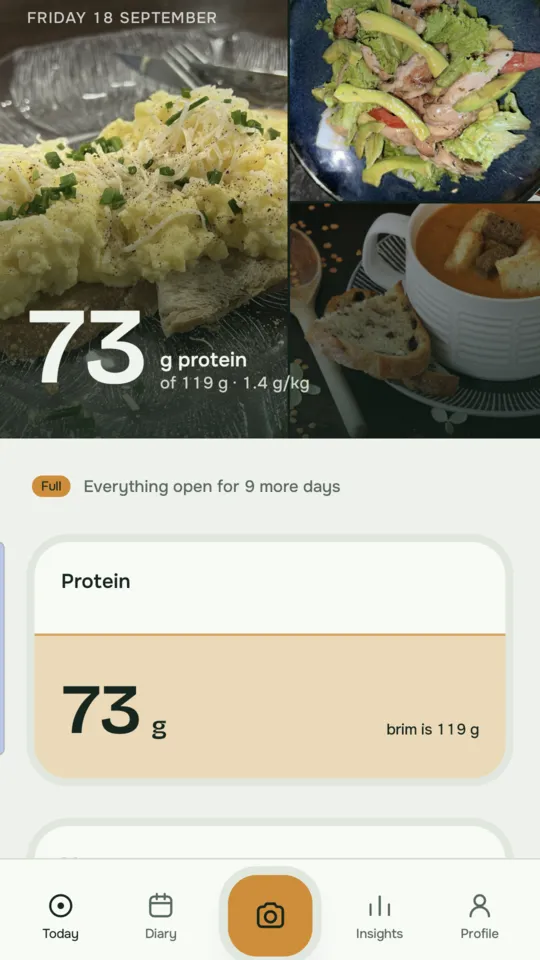
Appetite drops on GLP-1s and muscle is easy to lose. Brim keeps you pointed at protein without nagging.
Snap or say it
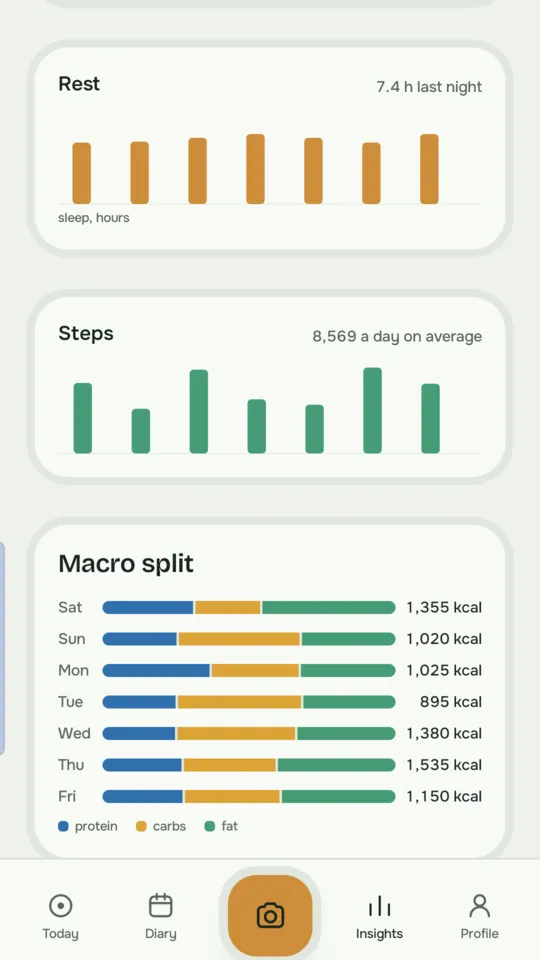
Photograph your plate, describe it by voice or text, or scan a barcode. Brim estimates calories, protein, carbs, fat and fibre as honest ranges.
Watch the tide rise
Your day fills towards a protein brim set from your body weight. Short? Brim suggests three gentle ways to close the gap.
See the whole picture
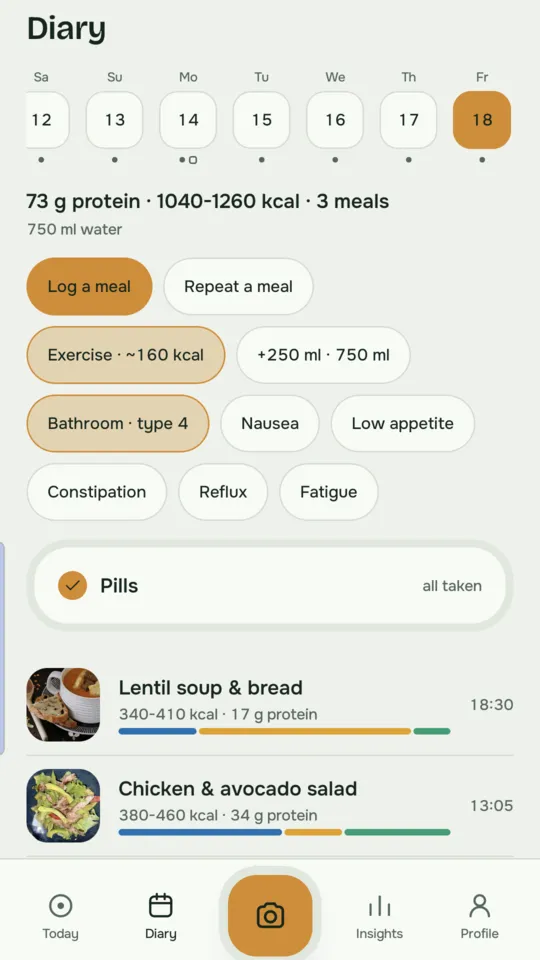
Injections, symptoms, water, pills, exercise, weight and Health Connect data sit alongside what you ate, ready to share with your clinician.
Everything in one diary
Food is the start. Brim keeps the rest of your health alongside it, so you can see what actually helps.
Food and drink
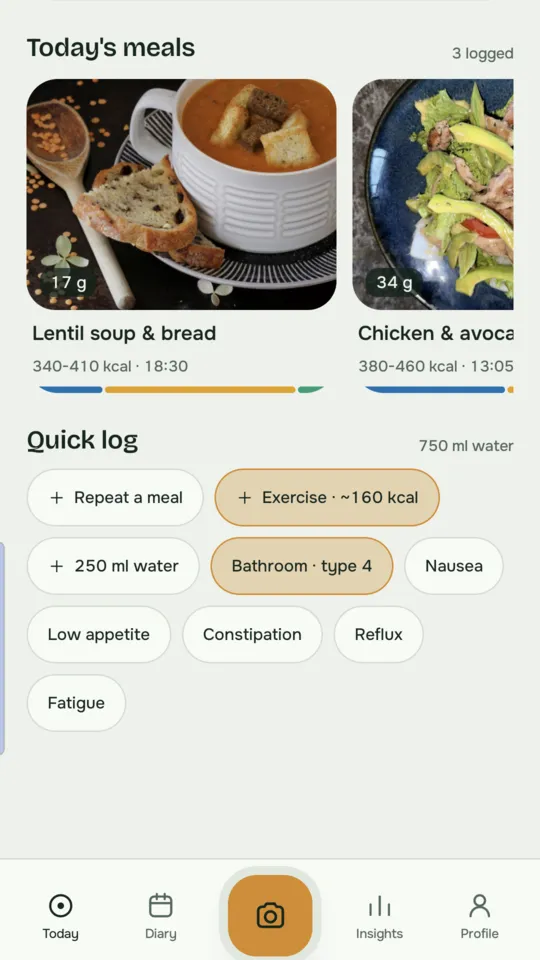
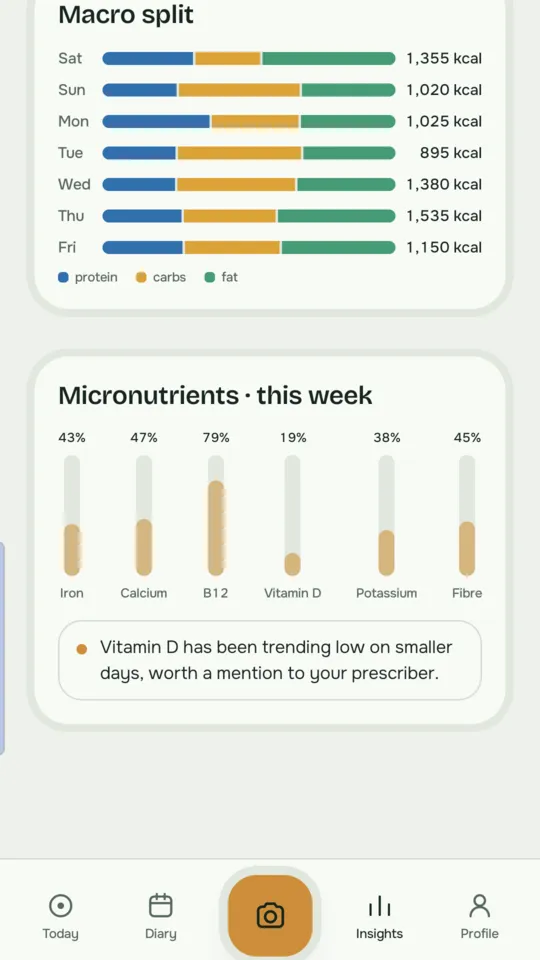
Photo, voice, text or barcode. Calories, protein, carbs, fat, fibre and micronutrients, with portions you can adjust by slider or in grams. Repeat a favourite meal in one tap.
Medicines
Injection days for weekly GLP-1s, plus a daily checklist for pills, vitamins and supplements, so you can see what you took and when.
Symptoms
Nausea, low appetite, constipation, reflux and fatigue, plus a Bristol-scale bathroom log, lined up against what you ate.
Water
Tap in 250 ml glasses. On Android, gentle reminders every two hours start when your morning alarm goes off and stop when you reach your target.
Exercise
Log walks, workouts and sport. AI estimates the calories burned from what you describe, or Brim reads your workouts from Health Connect.
Body
Weight and body composition over time, and a private body-photo diary that never leaves your phone.
Health Connect
On Android, Brim reads weight, body fat, heart rate, HRV, blood pressure, blood oxygen, sleep, steps and workouts from Withings, Samsung Health, Fitbit or any app that writes to Health Connect, and writes your nutrition back.
Doctor reports
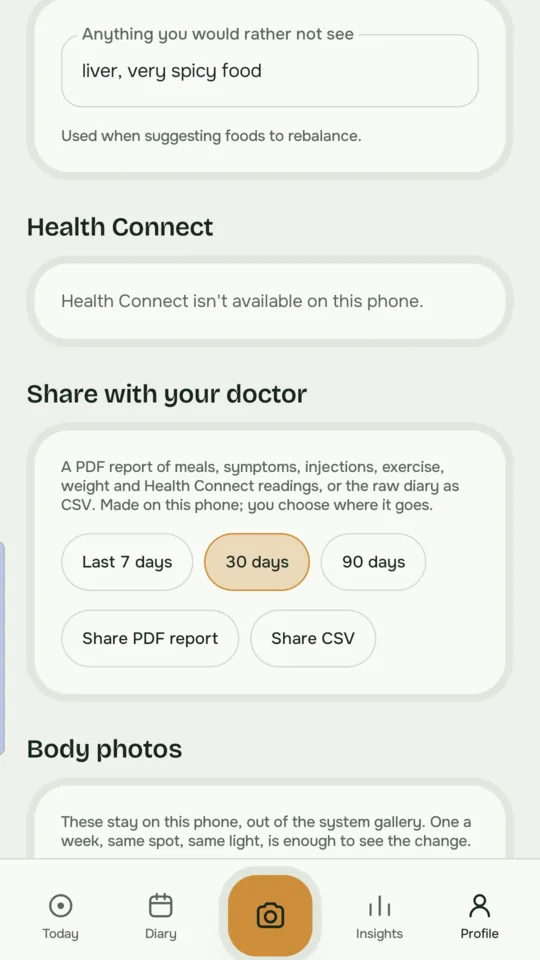
Turn the last 7, 30 or 90 days into a PDF summary or a spreadsheet, made on your phone, to share with your GP, dietitian or prescriber.
Not on a GLP-1? Brim still fits.
Choose None, just tracking food when you set up, and Brim becomes a straightforward calorie and protein counter with the same photo logging, insights, Health Connect and medicine checklist.
Losing or maintaining weight
See calories as honest ranges rather than false precision, and keep protein high so the weight you lose is fat, not muscle.
Training and fitness
Hit a protein target set from your body weight, and see food next to workouts, sleep and recovery from your watch.
Managing a condition
Keep food, pills, symptoms and readings like blood pressure in one place, ready to show your clinician.
A look inside
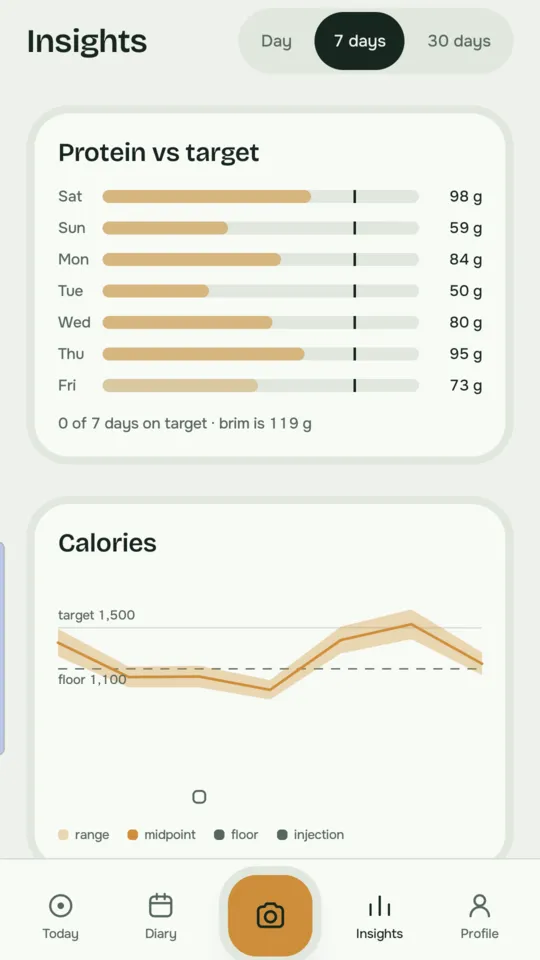
Swipe through. Brim shows estimates as ranges and keeps the colours calm, so a short day never feels like a failure.
Getting started
Install
Get Brim from Google Play and set your weight, treatment and targets.
Add an AI key
In Settings → AI setup, paste a key from one of the providers below and allow Brim to share meal details with it. Groq has a free tier.
Log your first meal
Tap the orange camera, photograph your plate and tap Describe to add anything the photo can't show.
Bring your own AI
Brim has no server. Your diary stays on your phone, and meal details go only to the AI providers you choose to allow. You pay the provider directly for what you use, usually pennies a day.
| Provider | Photos | Voice | Get a key |
|---|---|---|---|
| Groq | Text only | Yes | console.groq.com · free tier |
| OpenAI | Yes | Yes | platform.openai.com |
| Anthropic Claude | Yes | On-device | console.anthropic.com |
| Google Gemini | Yes | On-device | aistudio.google.com · needs billing |
| xAI Grok | Yes | On-device | console.x.ai |
For the best photo estimates, use a paid key from OpenAI, Anthropic or Gemini. Without a key Brim still works as a diary, but estimates are rough.
Price
Free
After the 14-day trial:
- Food diary and capture
- Water, symptoms, injections, pills
- Your last 7 days
Brim Full
A single payment unlocks everything for as long as you use Brim.
- Insights over weeks and months
- AI food suggestions and exercise estimates
- Health Connect and doctor reports
- Body photos and your whole history
UK price including VAT; Google Play shows your local price.
Got a promo code?
If you're testing Brim and were sent a code for Brim Full:
Redeem it
Tap the redeem link you were sent, or open play.google.com/redeem on your phone and enter the code.
Open Brim
Full unlocks automatically. If it doesn't, go to Settings → Brim Full, open What's in Full and tap Restore purchase.
Tell us what you think
Email eurobuddha@gmail.com or leave a review on Google Play.
Questions
Do I need an account?
No. There's no sign-in and no Brim server. Your diary lives on your phone; use Brim's backup in Settings, or your phone's own backup, to keep a copy.
Who sees my food and health data?
Only you, plus the AI providers you explicitly allow, and only when you use an AI feature. You can stop sharing at any time in Settings. Read the privacy policy.
Is it medical advice?
No. AI estimates can be wrong. Check portions and allergens, and talk to your clinician about medicines, symptoms and targets. Brim is for adults aged 18 and over.
Voice does nothing when I describe a meal
Check that your AI provider supports voice (Groq or OpenAI) and that you've allowed it in Settings → AI setup. Otherwise Brim uses your phone's own speech recognition. Speak for a couple of seconds, then tap Stop.
Is there an iPhone version?
It's on the way. Android comes first.